
How Baccarat works on mpo galaxy
Baccarat on mpo galaxy is a live-dealer card game with three betting outcomes: Player, Banker, or Tie. Our dealer deals two cards to each hand, and the hand closest to nine wins. We show you the card values clearly, so there's no ambiguity about the outcome. Once a hand resolves, we pay out winning bets instantly and move to the next round.
Our mpo galaxy Baccarat tables stream in high definition from our studios. We use multiple camera angles so you see the cards, the dealer, and the table layout. We also display a live chat so you can interact with the dealer and other players if you choose. All communication is monitored, and we keep the environment professional and welcoming for everyone at the table.
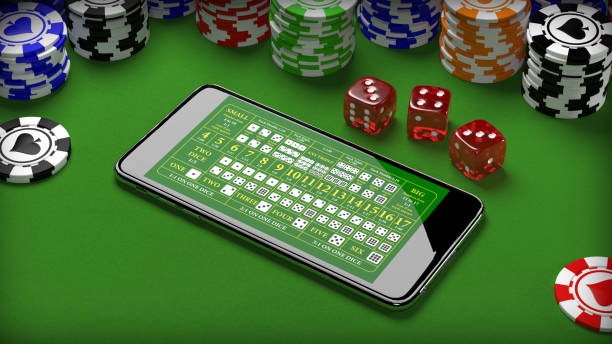
Understanding the game mechanics
Each Baccarat hand follows the same sequence. You place your bet before the cards are dealt. Our dealer announces the minimum and maximum stake for the table, and you choose how much to risk. Once the betting window closes, the dealer deals two cards to Player and two to Banker.
Card values are straightforward: Aces are one, face cards are zero, and numbered cards are worth their number. We add the two cards together and take only the ones digit. So a seven and an eight equals fifteen, which counts as five. The hand closest to nine wins. We also show a chart on the mpo galaxy interface so you can follow the logic easily.
Accessing Baccarat on your Android phone
Installing mpo galaxy on Android takes a few steps. From your phone's browser, visit our site and tap the Android download button. Your phone will ask permission to install from unknown sources—this is normal and safe. Once you approve, the APK installs automatically. Open the app, log in with your account credentials, and navigate to our live-dealer section.
From there, you'll see a list of active Baccarat tables. Each table shows the dealer name, the current stake limits, and how many players are seated. Tap a table to join, and you'll enter the live stream. We cache the dealer interface locally, so even if your connection briefly stutters, the app recovers without disconnecting you from the hand.
Playing Baccarat on iPhone via browser
iPhone users access mpo galaxy Baccarat through Safari or Chrome without needing to install an app. Open your browser, navigate to our site, and log in. The web app is fully responsive, so the interface adapts to your screen size perfectly. Tapping cards, placing bets, and navigating menus all feel native and responsive on iOS.
Your account syncs across all devices. If you play Baccarat on your Android phone in the morning and switch to your iPhone in the afternoon, your balance and bet history are already there. We use secure session tokens, so you stay logged in as long as you're using the app—no need to re-enter your password repeatedly during a session.

Betting limits and table selection on mpo galaxy
We host multiple Baccarat tables on mpo galaxy, each with different stake limits. We have tables for conservative players with lower minimum bets, tables for moderate wagering, and high-roller tables for experienced players seeking larger stakes. You can browse all tables before joining and choose the one that matches your comfort level.
Once you join a table, the stake range is fixed for that session. We show the minimum and maximum clearly, so there's no confusion about what you can bet. We also let you set personal betting limits in your account preferences, which helps you manage your approach to Baccarat on mpo galaxy.
Payment methods and account verification
Funding your mpo galaxy account is straightforward. We accept e-wallet, mobile banking, local payment, online payment, e-wallet, mobile banking, and direct bank transfers (local payment, online payment, e-wallet, mobile banking). Deposits are instant, so you can join a Baccarat table within seconds of funding your account. Withdrawals follow a verification step to ensure the request is legitimate, but once approved, funds return to your preferred payment method within a standard window.
Before your first withdrawal, we verify your identity. We ask for a photo ID and a selfie to confirm it's you. This one-time process typically completes within a standard review window. Once verified, you can withdraw your winnings anytime. We keep your banking details secure and use encryption for all financial transactions on mpo galaxy.
- subject to verification: local payment, online payment, e-wallet, mobile banking, local payment, online payment—all process immediately.
- Bank transfers: e-wallet, mobile banking, local payment, online payment for larger amounts or account-to-account transfers.
- No hidden fees: We charge no transaction fees on deposits or withdrawals via mpo galaxy.
- Secure processing: All payment data is encrypted and kept private between you and the payment provider.
Push notifications and account preferences
We send notifications to keep you informed about your Baccarat sessions on mpo galaxy. We alert you when your favourite table opens, when a hand you've joined is about to start, or when your account balance changes significantly. You control every notification type in the settings menu—turn them on or off individually, and set quiet hours so we don't disturb you during specific times.
We also let you customize your account preferences. You can set your preferred language, adjust how you receive alerts, and configure your notification schedule. These settings sync across your Android app and iOS browser, so your experience is consistent everywhere. During Idul Fitri, Idul Adha, and Imlek, you can adjust your settings to match holiday schedules.

Customizing your experience
Your mpo galaxy account is yours to configure. We let you set table preferences, so you see only the stake ranges you're interested in. We also let you enable or disable live chat on tables, mute the dealer audio if you prefer, and choose your video quality based on your internet connection.
We also keep a detailed account history. You can review your Baccarat session records, your deposits and withdrawals, and your account balance movements. This helps you track your activity and plan your approach to gaming on mpo galaxy.
Data usage and connection stability
Streaming live Baccarat uses bandwidth, but we've optimized mpo galaxy to be efficient. Our video streams use adaptive bitrate, so the quality adjusts to your connection speed. If you're on a slower network, we reduce resolution slightly to keep the stream smooth. We also cache dealer interface elements locally, so repeated plays don't re-download the same graphics.
A typical Baccarat session uses modest data—roughly the same as streaming a music playlist for the same duration. If your connection drops mid-hand on mpo galaxy, we reconnect you automatically. Your bet is preserved, and you rejoin the live feed without losing your place at the table. We also let you adjust video quality in settings if you want to reduce data usage.